1
Open the registration form
Click the user icon at the top of any page and choose Register. On a phone the icon is at the top right.
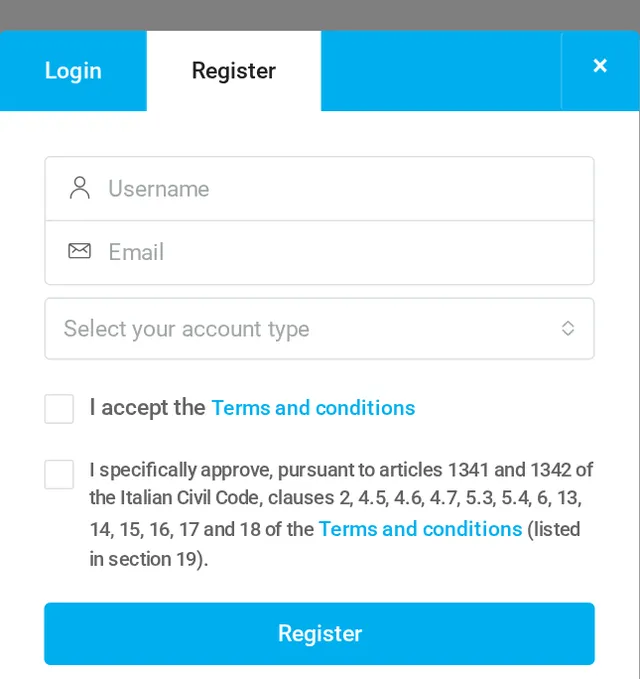


Create your account in one minute. Sellers can list their first machine for free; buyers can save favourite machines and searches.
Click the user icon at the top of any page and choose Register. On a phone the icon is at the top right.
Username: the name you use to log in; you cannot change it later. Email: the address for your account and for the messages of buyers. Account type: choose Seller to list machines, Buyer to save favourites and searches.
Tick the two boxes: the first accepts the Terms and conditions, the second approves some specific clauses, as Italian law requires. Then click Register.
You receive the email “Your username and password on MachineLinker” with a link to set your password. The link is valid for 24 hours.
Sellers start with the FREE plan: one machine, with no expiry. To list more machines, choose a plan: see Plans and payment. Next step: complete your company profile.
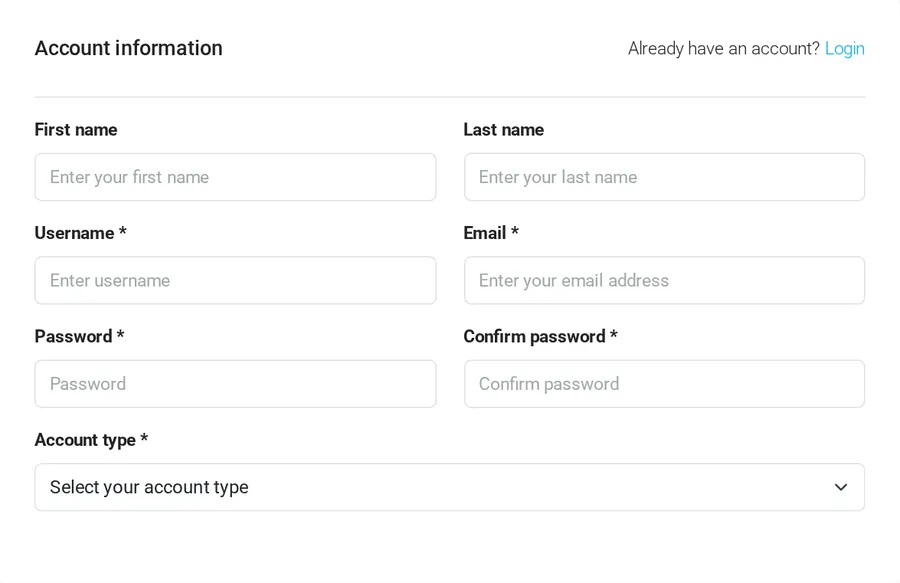
On the pricing page you can choose a paid plan straight away: the payment page asks for name, username, email, password and account type, and creates your account when you pay.
Yes. Registration is free for sellers and buyers, and sellers can list their first machine for free.
No, the username stays the same. You can change your email address and all your company data in My profile.
Look in the spam folder. If it is not there, write to support@machinelinker.com from the address you used to register.
Buyers contact you directly, with no commission.
Add your first machine for free